Tutio
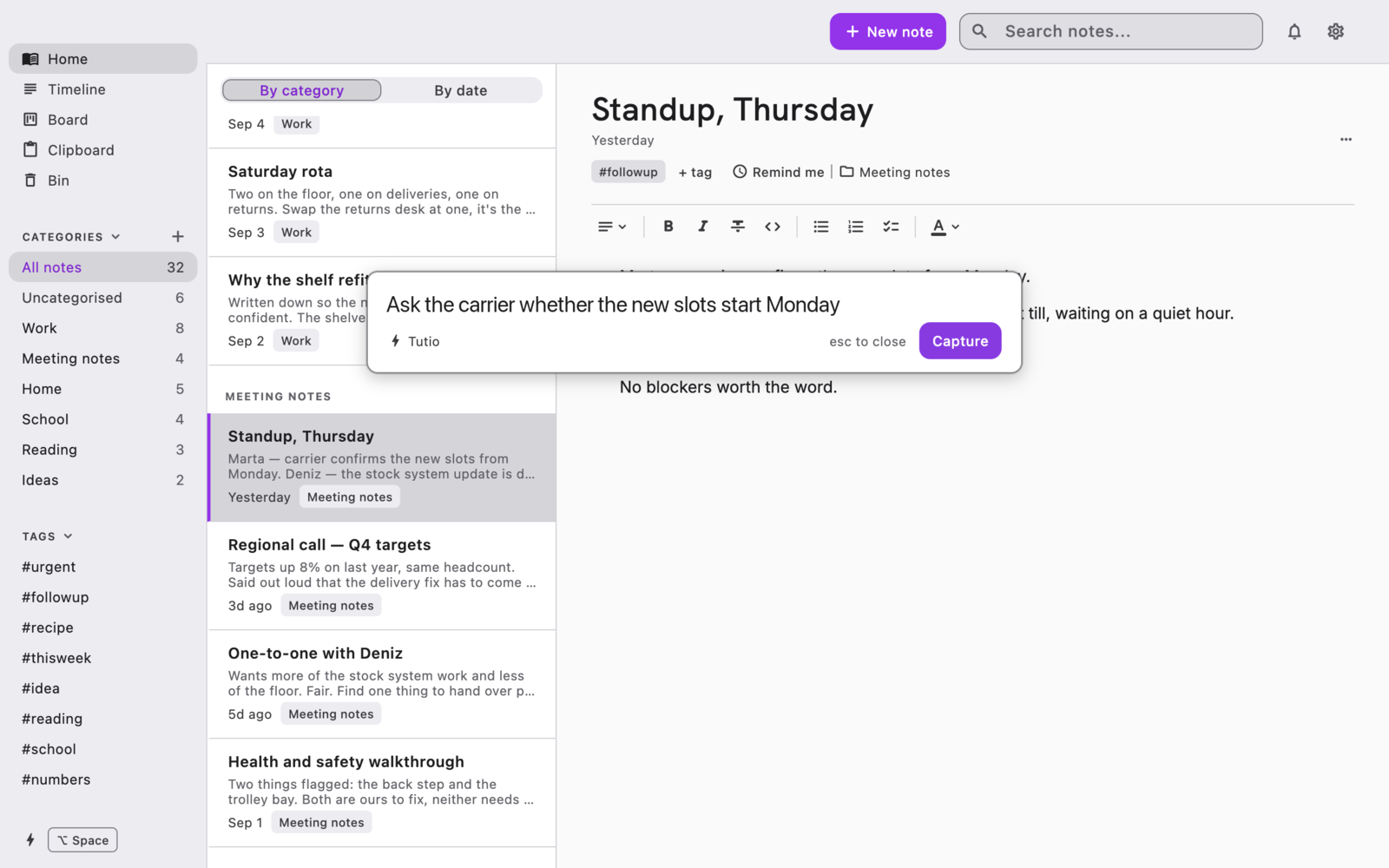
A notes app for people who think in fragments. Press ⌥ Space in any app, type the thought, and carry on with what you were doing.
What it does
Capture without stopping
The hotkey opens a small panel anywhere. Type, press Return, and the thought lands on your Timeline. Keep the ones worth keeping; the rest clear themselves.
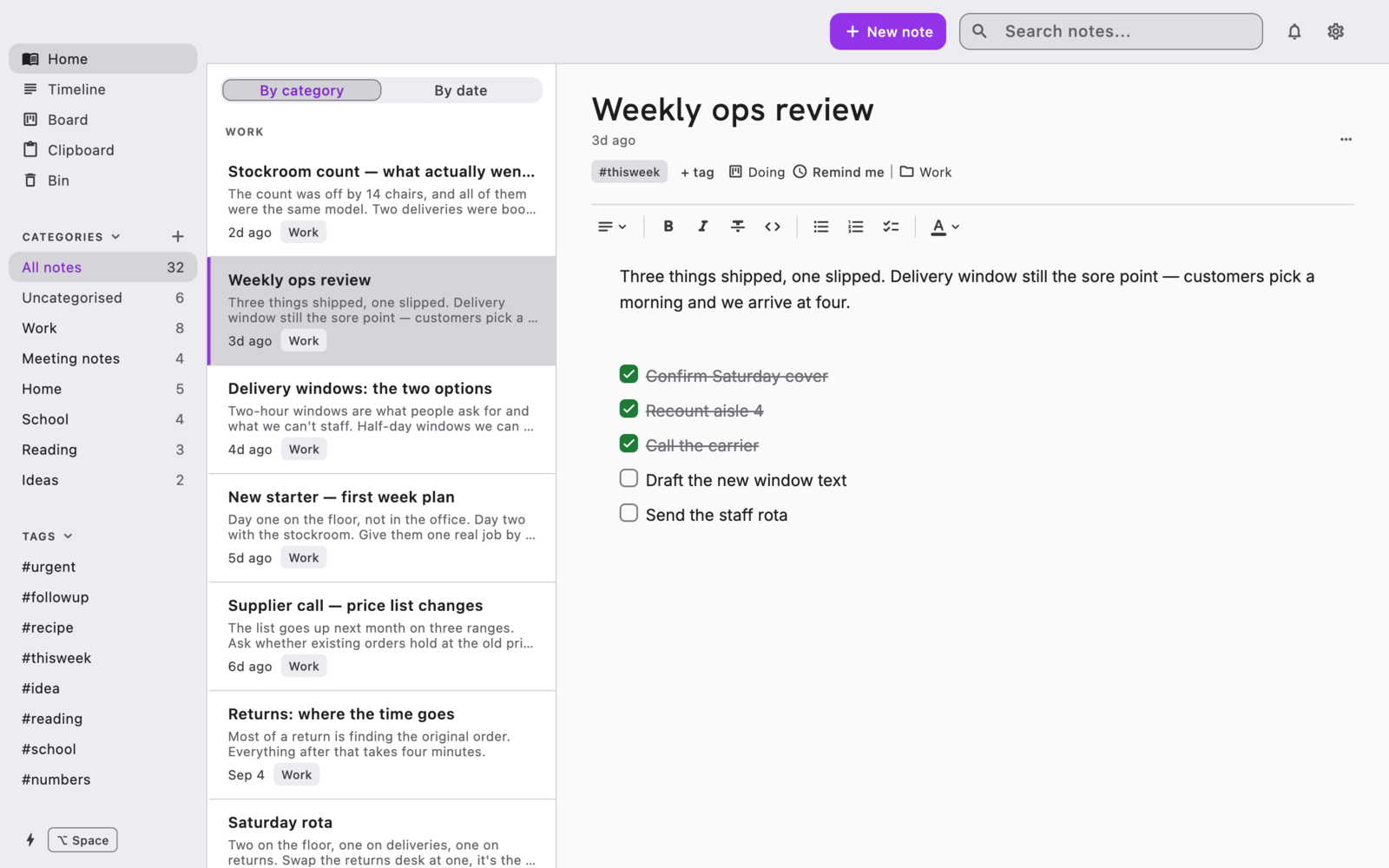
Write properly
A real editor, not a text box: headings, bold, italic, links, quotes, code, lists, and checklists that track what is done.
Find it again
Categories for where a note belongs, tags for what it is about, and search across everything.
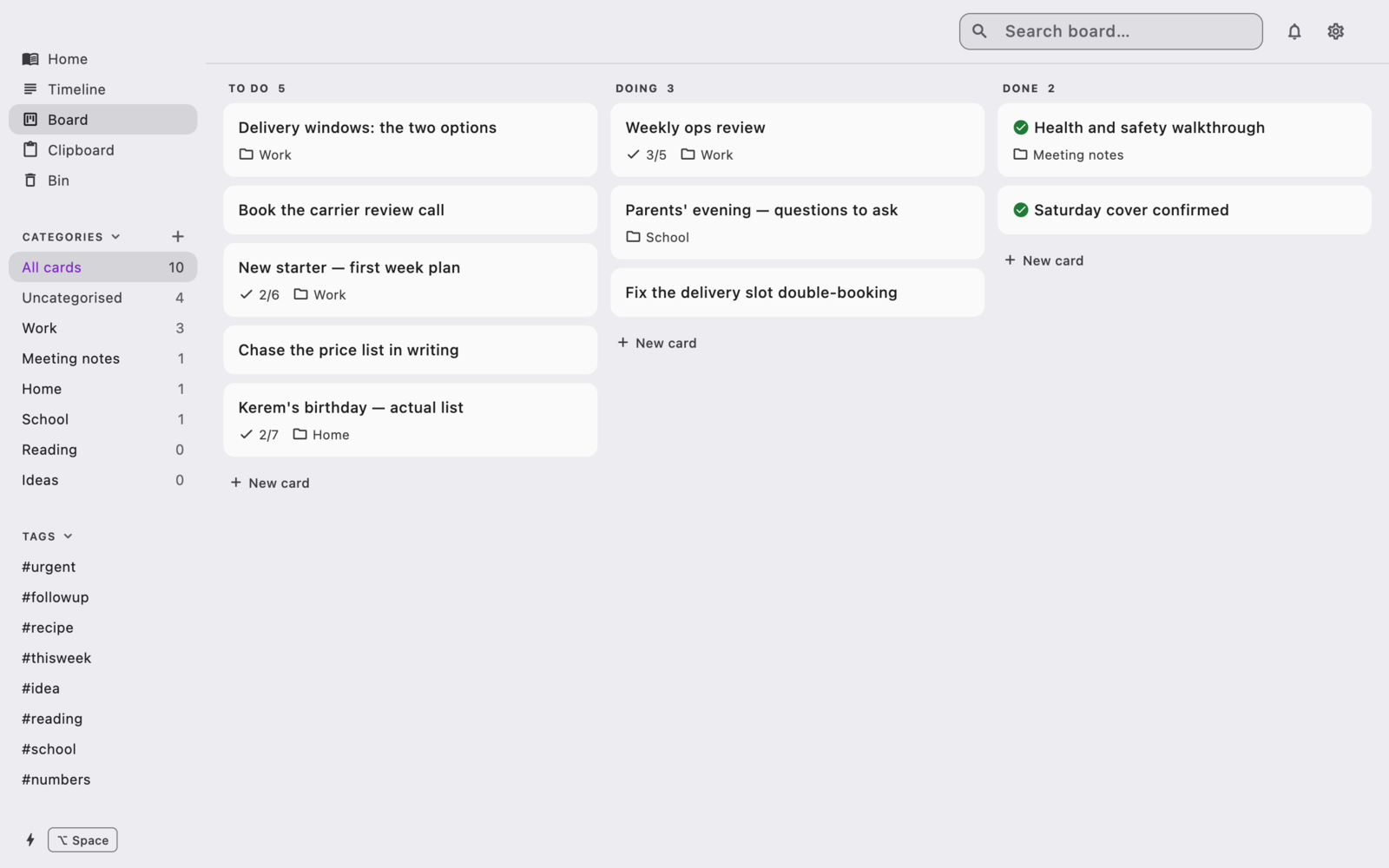
A board for what you have to finish
To do, Doing, Done. Every card is a note, so the steps live inside it and the card shows how far along you are.
A clipboard that remembers
Everything you copy is held for a day, so the thing you copied twenty minutes ago is still there.
No account, no sign-in, no server. Your notes are a file on your own disk, and the app has no network access in either direction.
Requirements
- macOS, Apple silicon or Intel
- English, Turkish, German, French and Spanish